ML-Driven Payment Matching for Faster Time to Revenue
An automated matching algorithm driven by machine learning achieved a ~90% auto-match rate, minimizing manual matching and speeding up revenue recognition cycle times for cash application teams.
Tesorio, Accounts Receivable
Research • Design • ML • GenAI
Matching incoming payments to invoices is a critical step before revenue can be realized
Cash application—the act of matching customer payments to invoices—is the final, crucial step before revenue truly counts. Speed counts in cash application, because collectors want to stop calling customers to ask for payment, forecasters and planners want to lock in more reliable data, and executives want a clear line on money in the bank.
Many teams still use Excel-based manual processes. And while automated systems exist, they may be standalone solutions or require an undesirable integration lead time or cost an arm and a leg (or all the above).
Tesorio targeted Cash Application as a highly competitive opportunity for its platform, adding a critical capability that would expand its offering for order-to-cash teams and increase the value of its forecasting tool.
Existing workflows were all over the place
Despite the many controls that govern Accounts Receivable, we discovered that the underlying processes for linking invoices to payments were all over the place. Teams were working with a range of solutions from Excel paired with an ERP to lightweight ERP plug-ins to fully dedicated and automated solutions.
Rather than attempting to map all these discrete workflows, we focused on the core activities and pain points. We also paid close attention to those steps when we knew users would have to go out of the system to complete processes due to gaps on our end (deposits, journal entries).
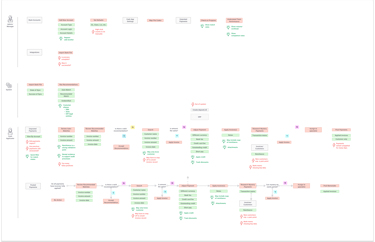
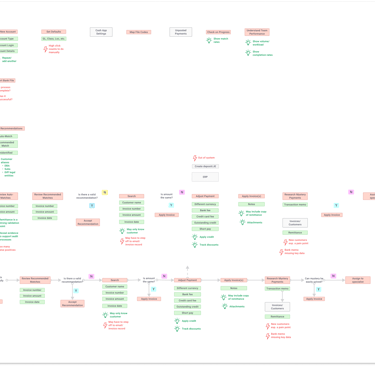


Core activities were clear
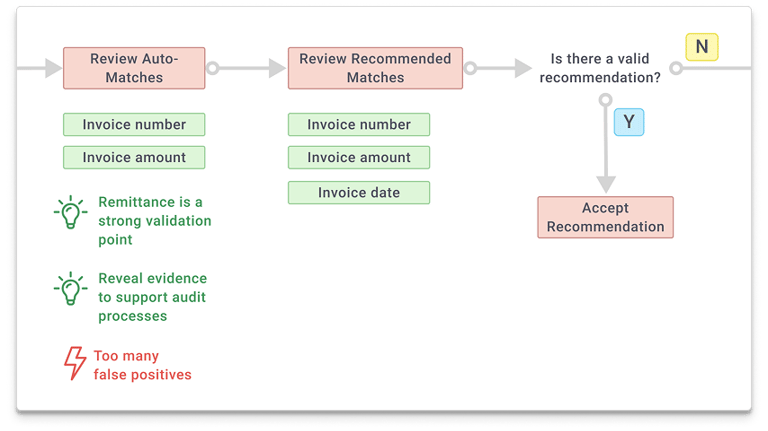
We mapped the common core activities onto our own proposed flow and also set Day 1 priorities. Because we were unsure of the machine-learning matching performance out the gate, the product would have to support an evaluation-centric review flow as well as manual research and linking when the automation failed to find a match.


The heart of the system: the Match Experience
1:1 match of all compare data





1 or more discrepancies between compare data
Customer unknown or no matching invoices found
Depending on the state of the match, users would need to take different actions and complete different activities to fully apply invoices to a payment.
Visualizing the state of payments
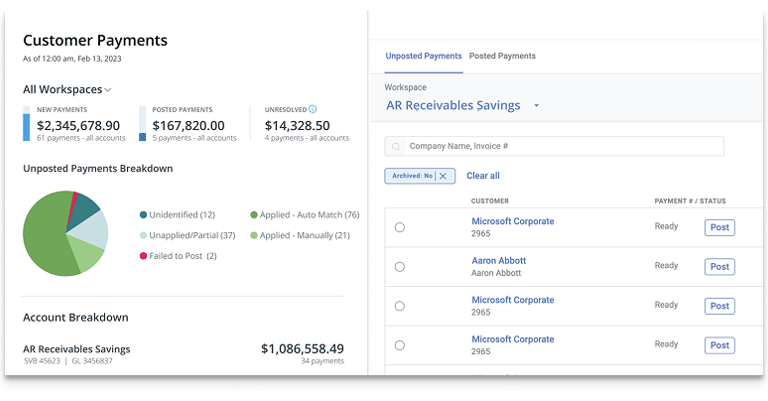
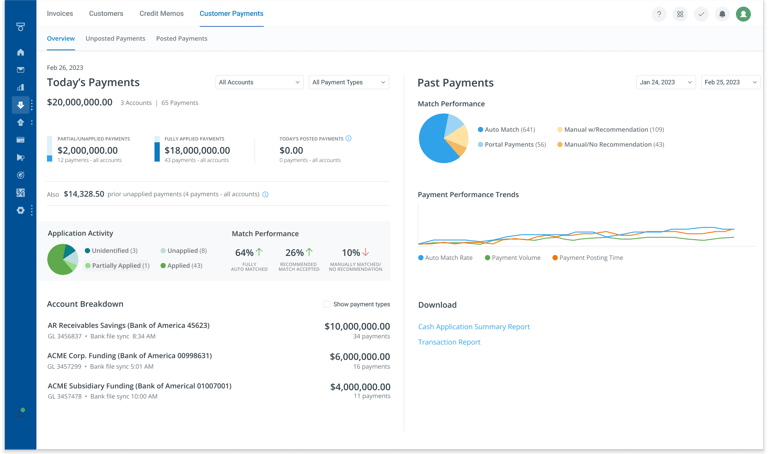
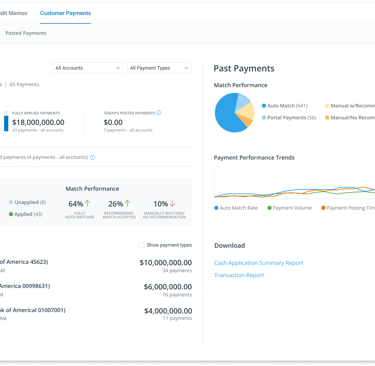
This dashboard design represents the end-state value of cash application: helping users see their business landscape and understand what the system handled versus what still needed their attention. In practice, we shipped the underlying workflow first—intentionally deferring rich analytics to focus on getting the matching right and helping users complete their work faster before visualizing it.
Applying cash by bank account and payment state
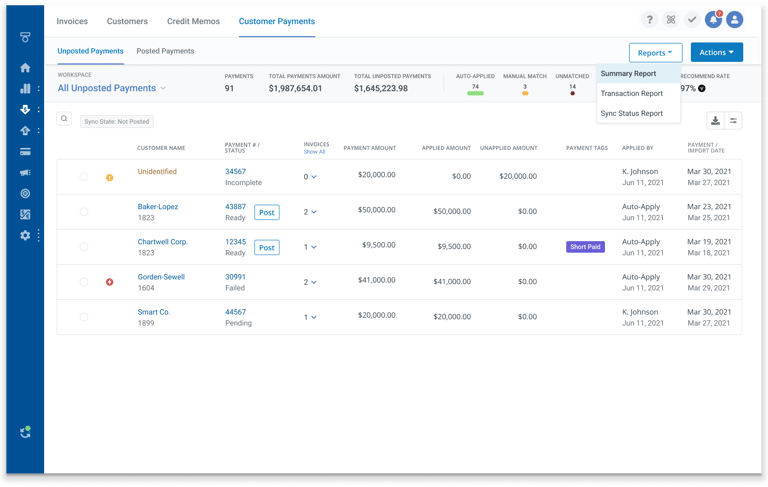
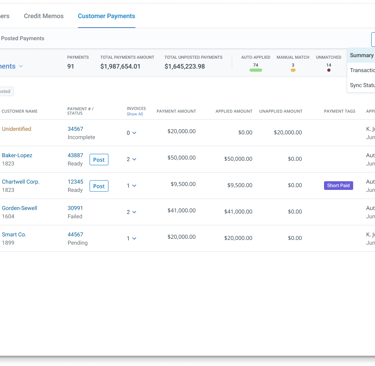
Each day begins with a clear view of all incoming payments, with customizable layouts typically grouped by bank account or assignee. One-click filters surface the core match states (auto-matched, recommended, and unknown) paired with high-level stats and essential reporting to keep work focused and moving.
Reviewing auto-matches (and making adjustments)
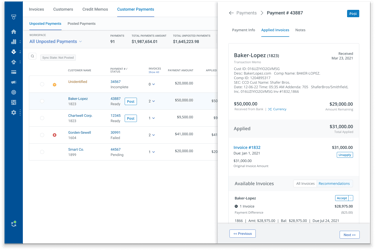
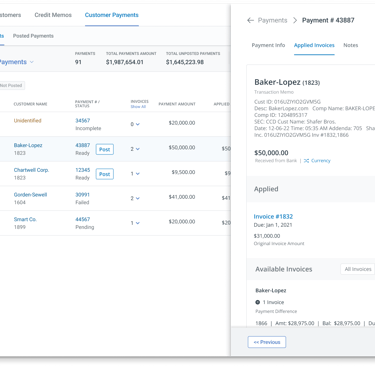
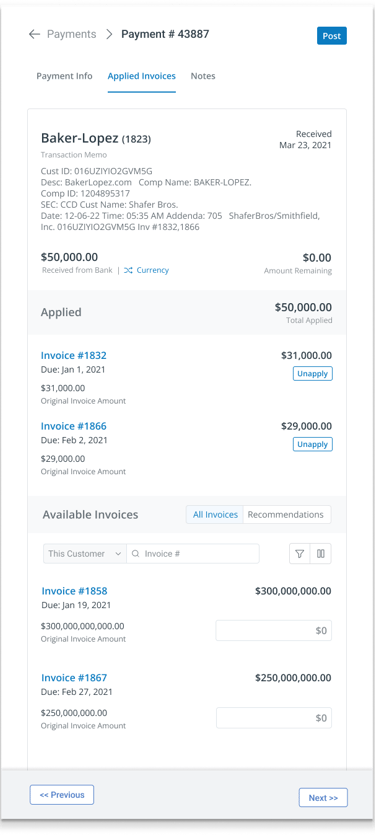
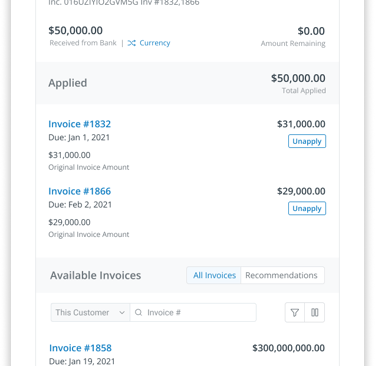
Auto-applied matches are the ideal state. The user’s role is simply to verify that the right customer, amount, and invoices are applied, with key evidence like the bank memo clearly visible. Applied invoices are easy to review, and users can make adjustments when needed. I worked with the engineers to ensure that when users were making adjustments on the front end, the system was handling as much of the accounting logic as possible, preventing errors such as applying invoice balances that exceed the payment amount.
Auto-matches were the prime attraction of the solution. But the UI still had to support making matches manually since we knew it would take time to dial in the machine learning.
Evaluating recommendations
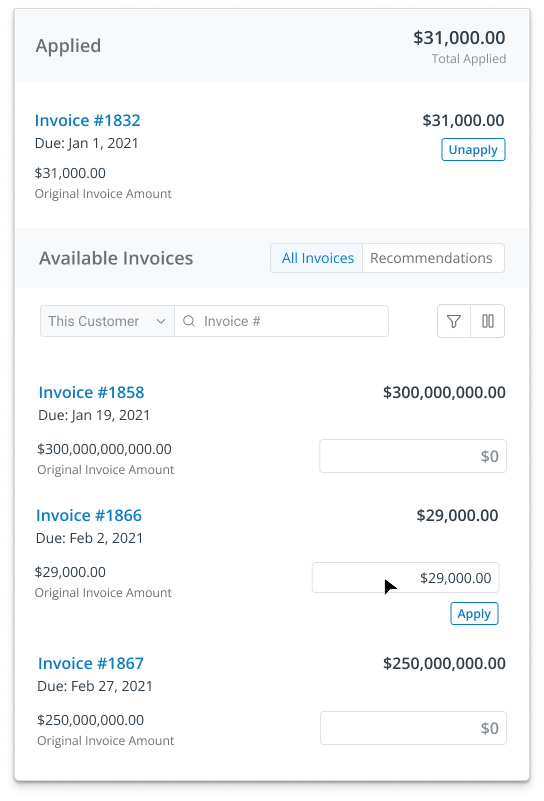
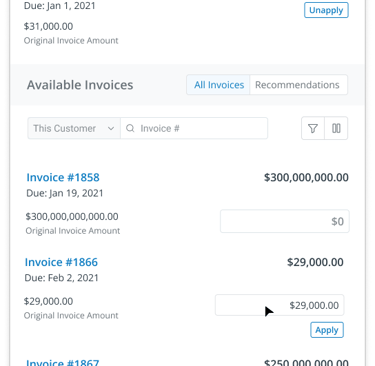
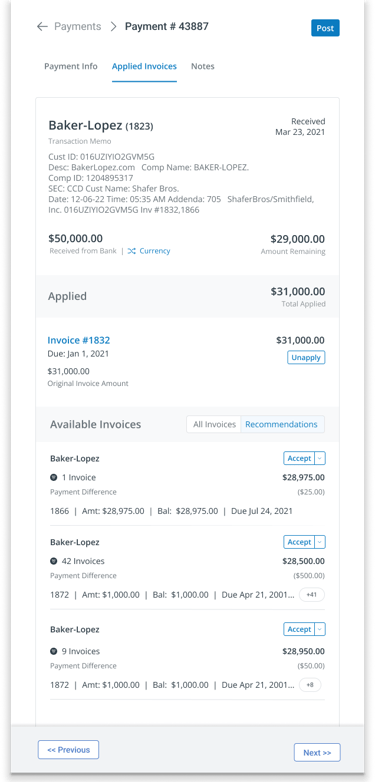
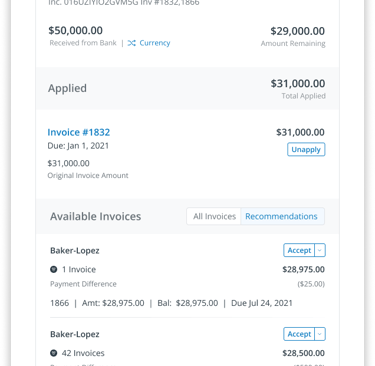
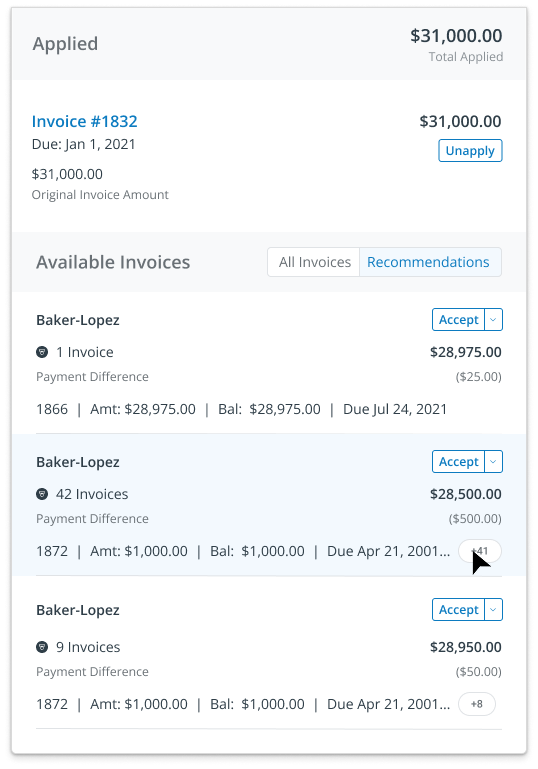
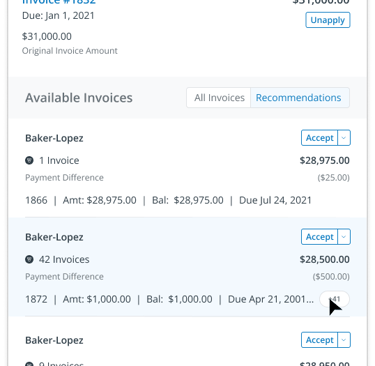
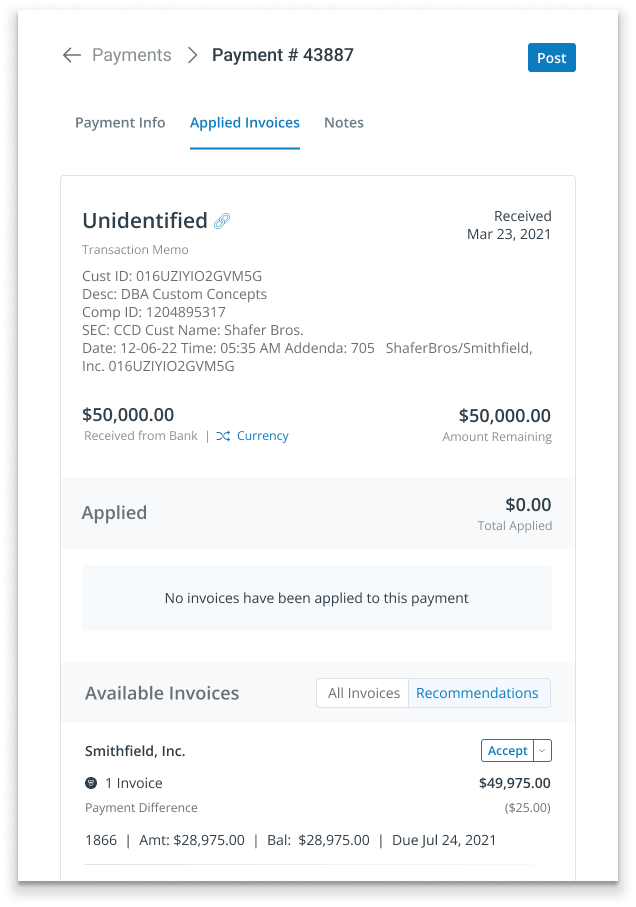
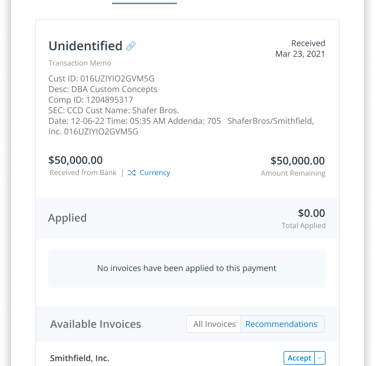
The Recommended state handled cases where payments and invoices didn’t perfectly align, requiring more user involvement. When discrepancies like bank fees caused amount mismatches, the system suggested likely invoice matches—allowing users to confirm intent and make adjustments, such as adding a fee to true up the payment. Designing this experience required balancing relevance over sheer volume, clearly separating recommendations from standard invoices, scaling to large invoice sets, and carefully limiting how much users could edit recommendations to maintain trust in their quality.
Recommendations could include 30 or more invoices, so the design had to handle both the volume as well as managing minimal adjustments.

Secondary adjustment workflows to keep users in context
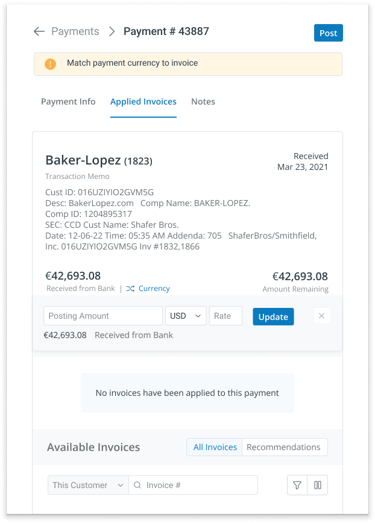
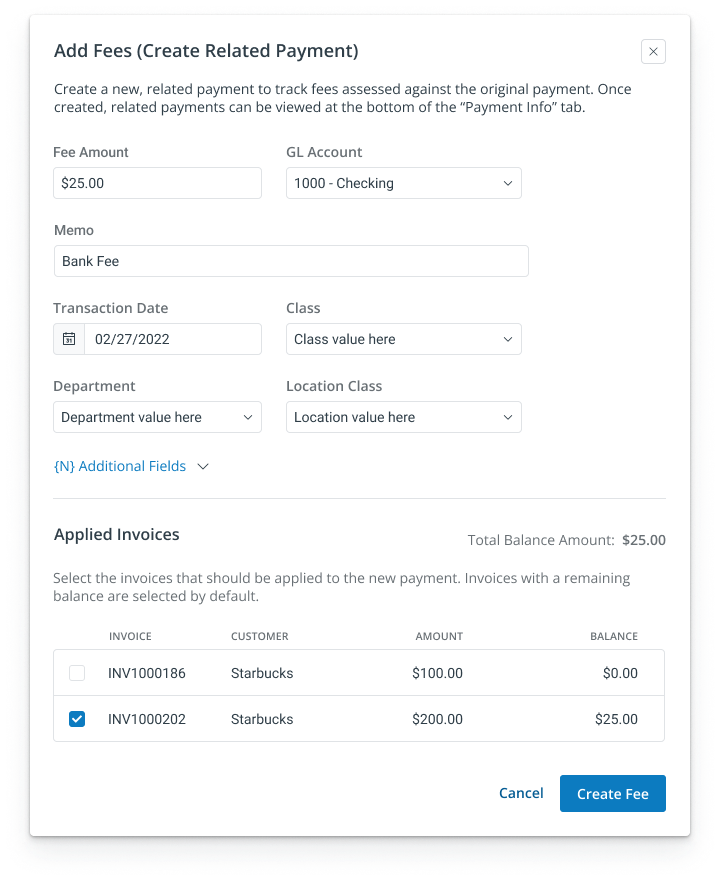
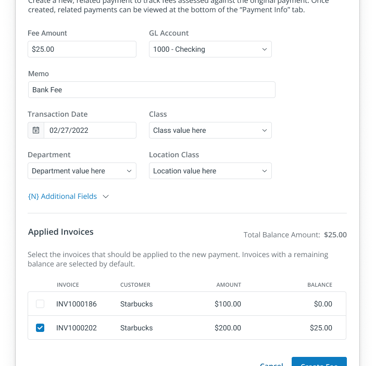
Beyond recommendations, users needed quick access to alternative resolutions, such as changing a payment’s currency when banks performed automatic conversions. While we couldn’t support full accounting objects like deposits or journal entries, creating a secondary payment proved to be a lightweight and effective way to handle adjustments such as bank fees.
Additional resolution options like reverting currency conversions and creating secondary payments to record bank fees gave users flexible ways to reconcile real-world accounting quirks.


Resolution options for unmatched payments
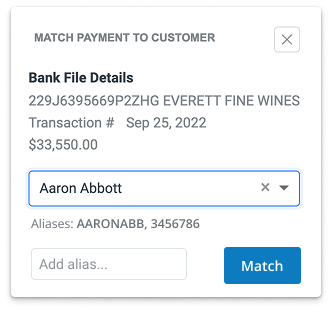
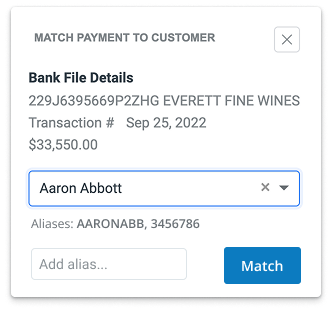
The final and least desirable match state occurred when no matching criteria existed, forcing users to manually investigate the payment’s origin and intent. Over time, aliases and customer remittances emerged as the most effective tools for improving match rates, with AI-augmented remittance detection boosting final match performance overall . Even so, this area revealed a missed opportunity to do more for users in the moments they needed the most help.
The power of remittance and a missed opportunity
Remittance is information the customer provides to the vendor regarding a pending payment with information about which invoices that payment is intended to cover. Multiple teams use this information: collection teams consider it a strong payment signal; cash application teams use it to speed the application process; and reconciliation teams use it as evidence in the event of audit during the process of closing the books.
Remittance data ("this payment is intended for these invoices") is valuable for several reasons. However, the way it was incorporated into Cash Application meant that it wasn't available when users needed it the most.
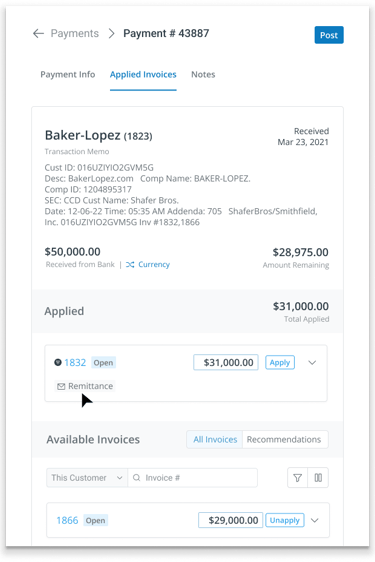
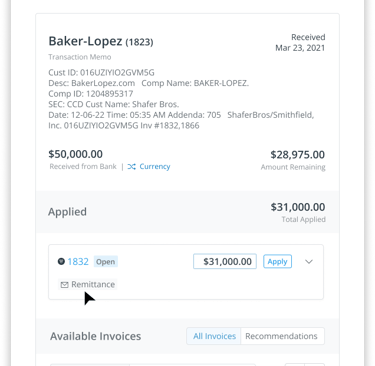


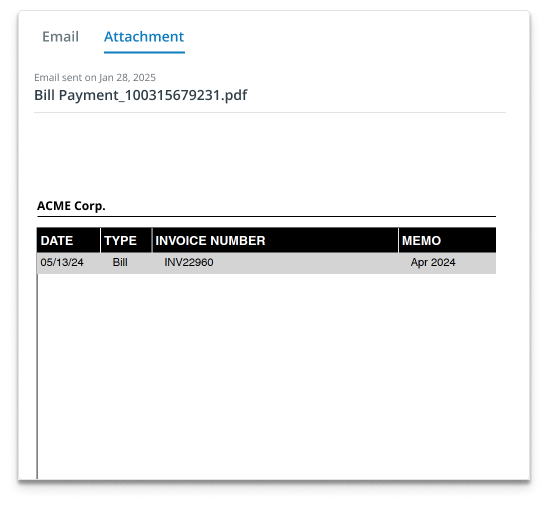
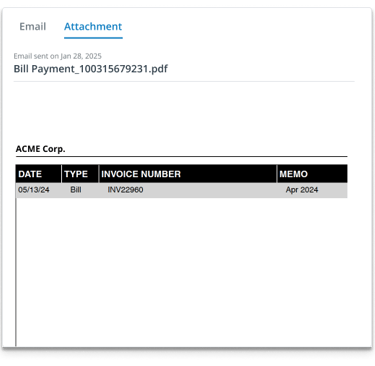
AI-based email parsing was added to the product to find remittance data. This data would then be fed into
the matching algorithm to improve match performance. However, the technical architecture of this process meant that remittance data was only available for invoices that were matched to a recommendation. Considering that remittance is the number one resource when a match can't be found, and AI-parsing is more art than science currently, this meant that the system could not conveniently surface remittance information to users when they were in research mode. This missed opportunity not only impacted the cash application workflow but also limited upsell and value-add opportunities in the wider product.
Design for de-prioritized features
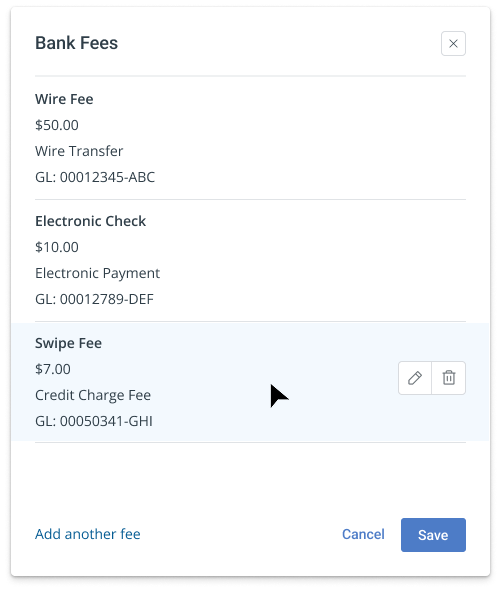
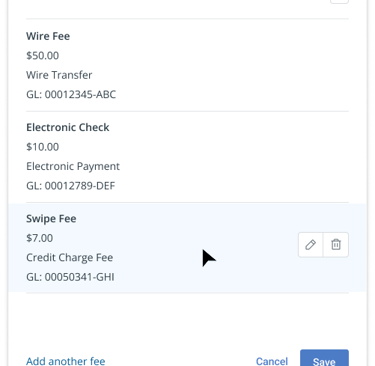
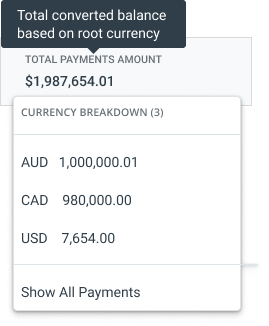
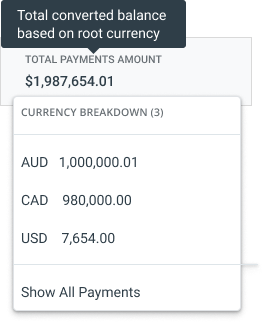
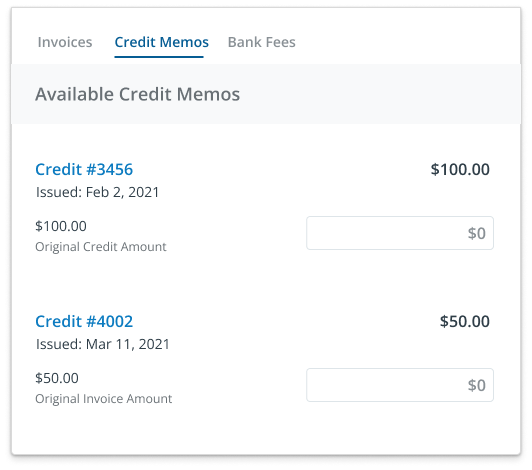
Several other features were designed but ultimately not prioritized, including default bank fees, multi-currency handling, and the inclusion of credit memos into the Cash Application workflow.
Impact and Outcomes
The solution achieved an 85–90%+ auto-match rate, with over 10% of existing customers adopting it. It also became a net-new entry point into the platform.